


Today in this Blog, we'll look at how the income tax personal tax for payroll works in Odoo according to Indian localization. We've discovered that many companies outsource or manage their income tax declaration, tds computation, and other details in other software or with a payroll outsourcing company, and here we're bringing the complete tax solution inside Odoo.
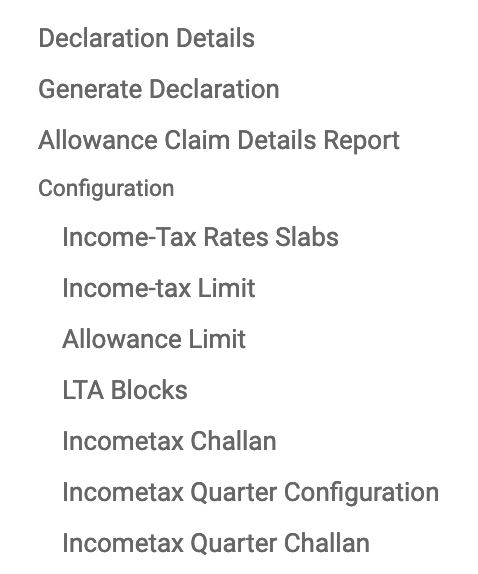
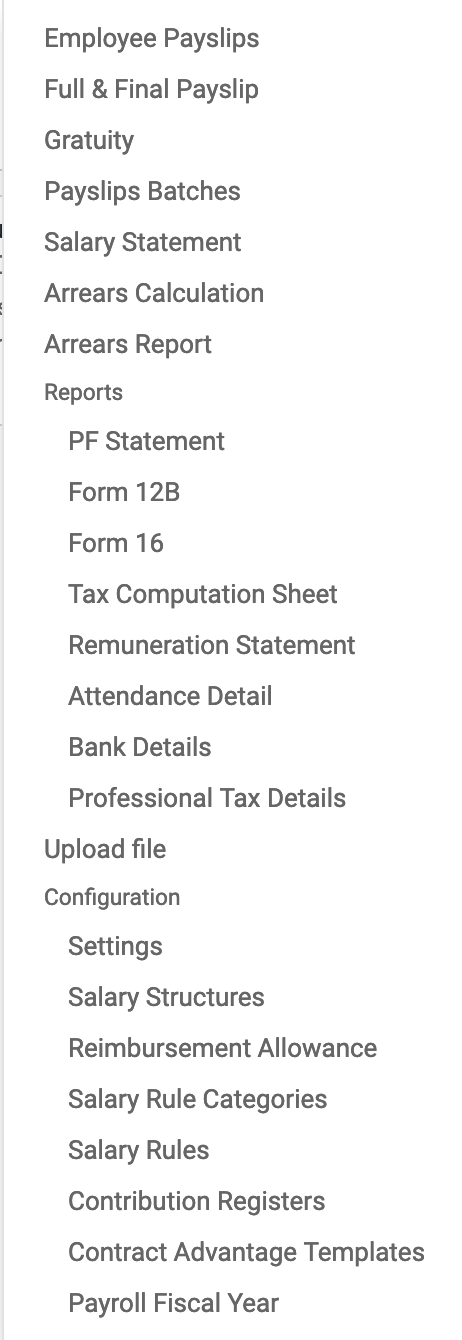
So, inside human resources, we have an income tax menu where we can configure income tax slabs and rates for male, female, and senior citizens, as well as income tax limits that we can set up for various different sections under 80C, 80CCD, or IB etc.., and all the conditions you can configure.
Different allowance limits can be set up for different types of allowances, different challans can be created as soon as we fill out the income tax, and all other details are there. The main showstopper here is tax declaration, on the first of April every year for payroll financial years, we can generate tax declarations for all active employees here.
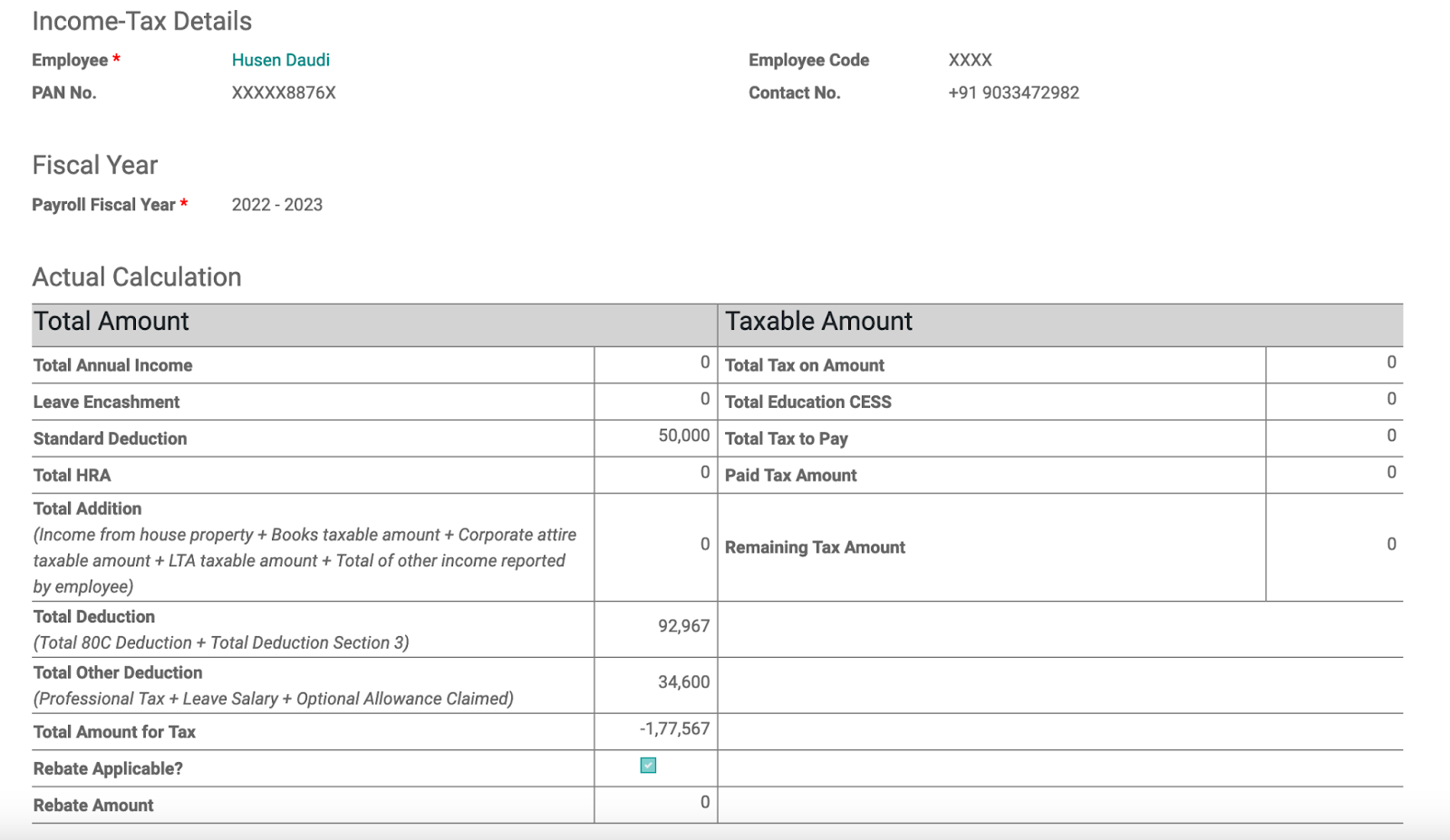
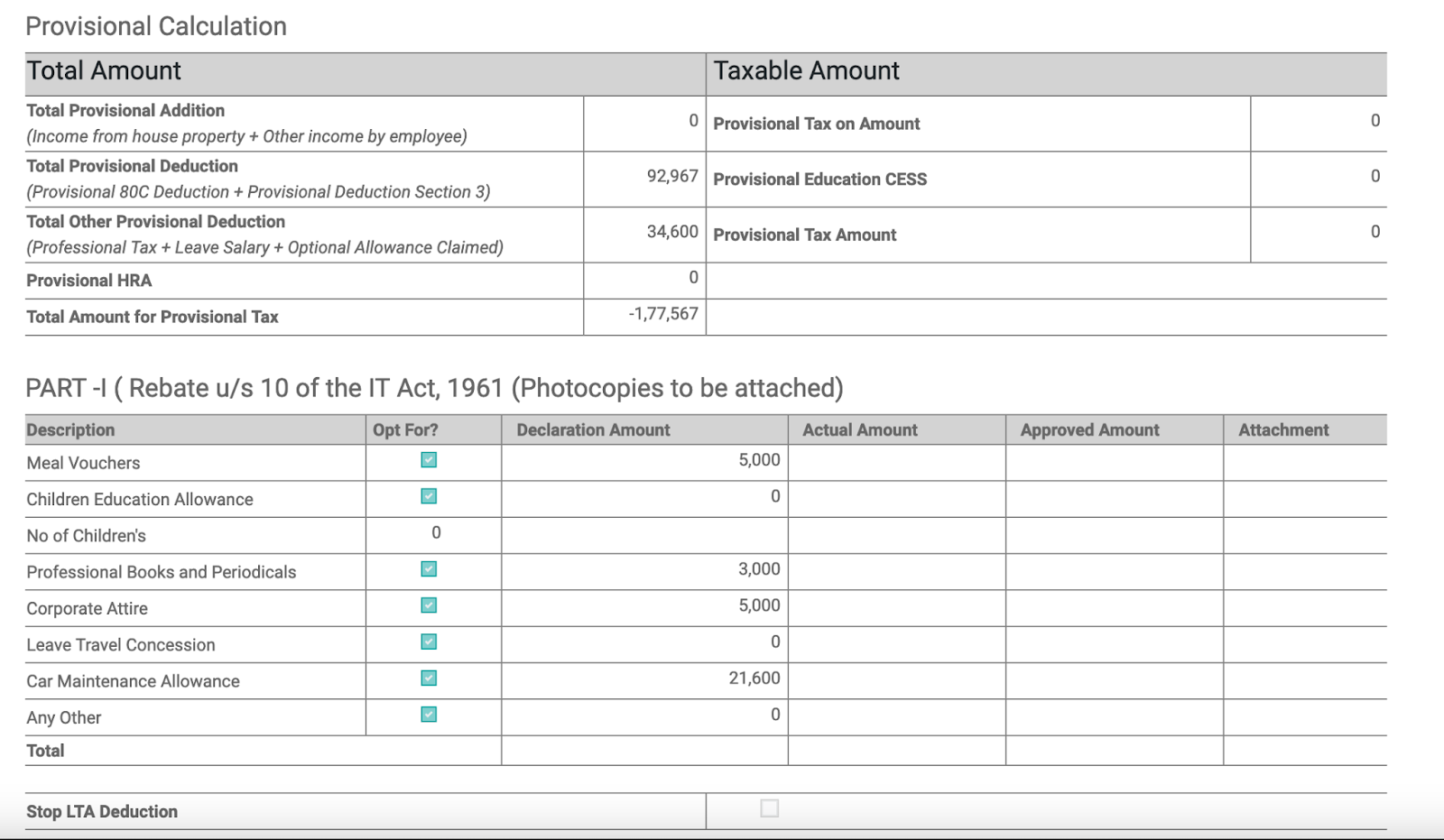
As soon as we generate the tax declaration, each employee will see their own declaration form where they will define their basic information, their actual calculation based on their active contract, how much salary they are receiving, the tax deduction, and all other details. Furthermore, they can declare their investment and other details here so that we can enter all other necessary details and the TDS will be calculated automatically.
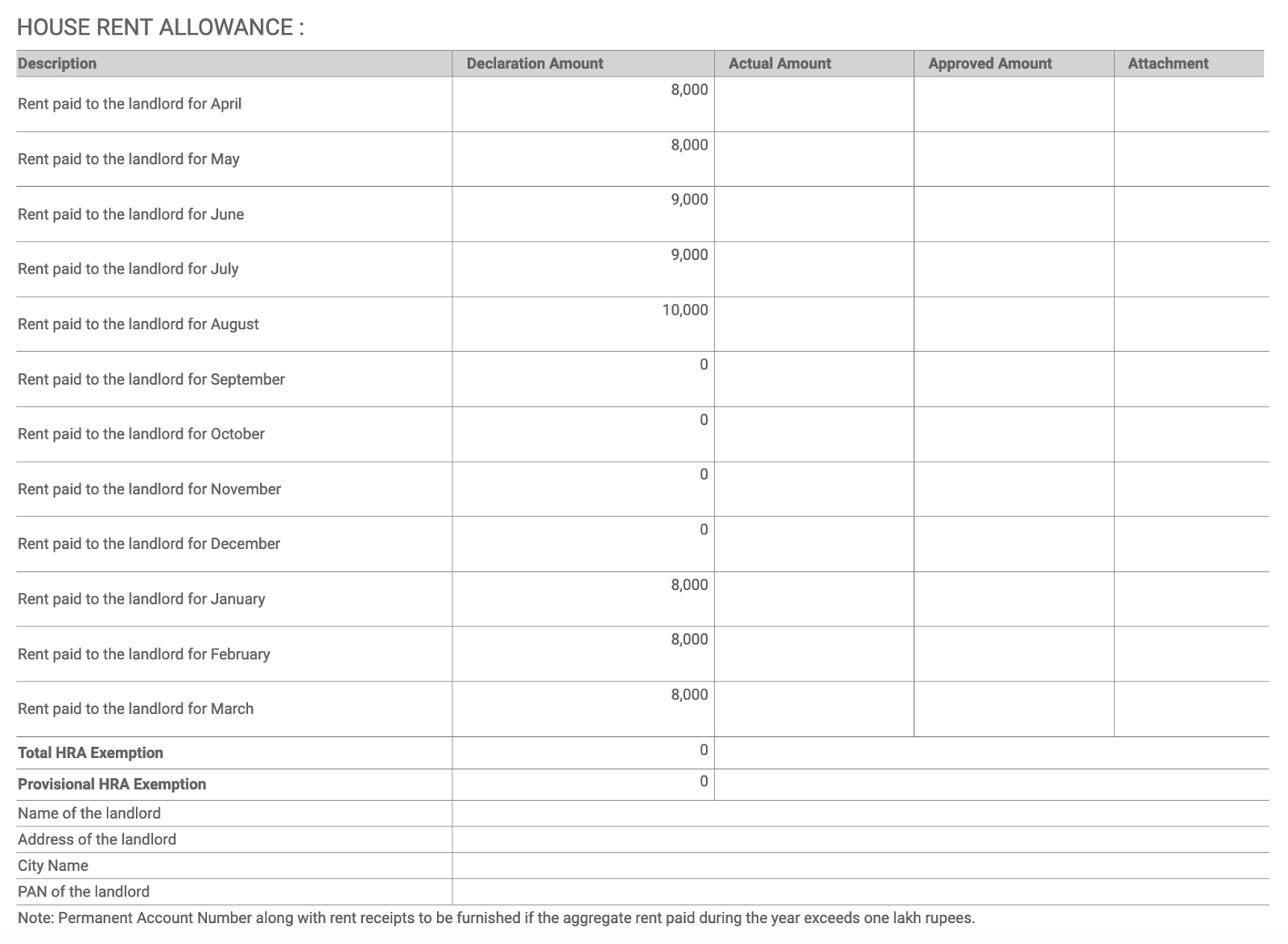
You can see all the details here: their monthly house rent allowance, how much house rent they pay, and they can just declare all the house rent details if rent is increased or not, so all the details will be here. HRA for employee, address of landlord, city name, and all these details. So we can fill in all the details here based on the tax computation, and it will count the actual approved amount once I confirm and compute, and then we have to attach some of the proofs as per the government standard, so the full government compliance tax declaration will be there, and it will be declared and digitally signed by the employee.
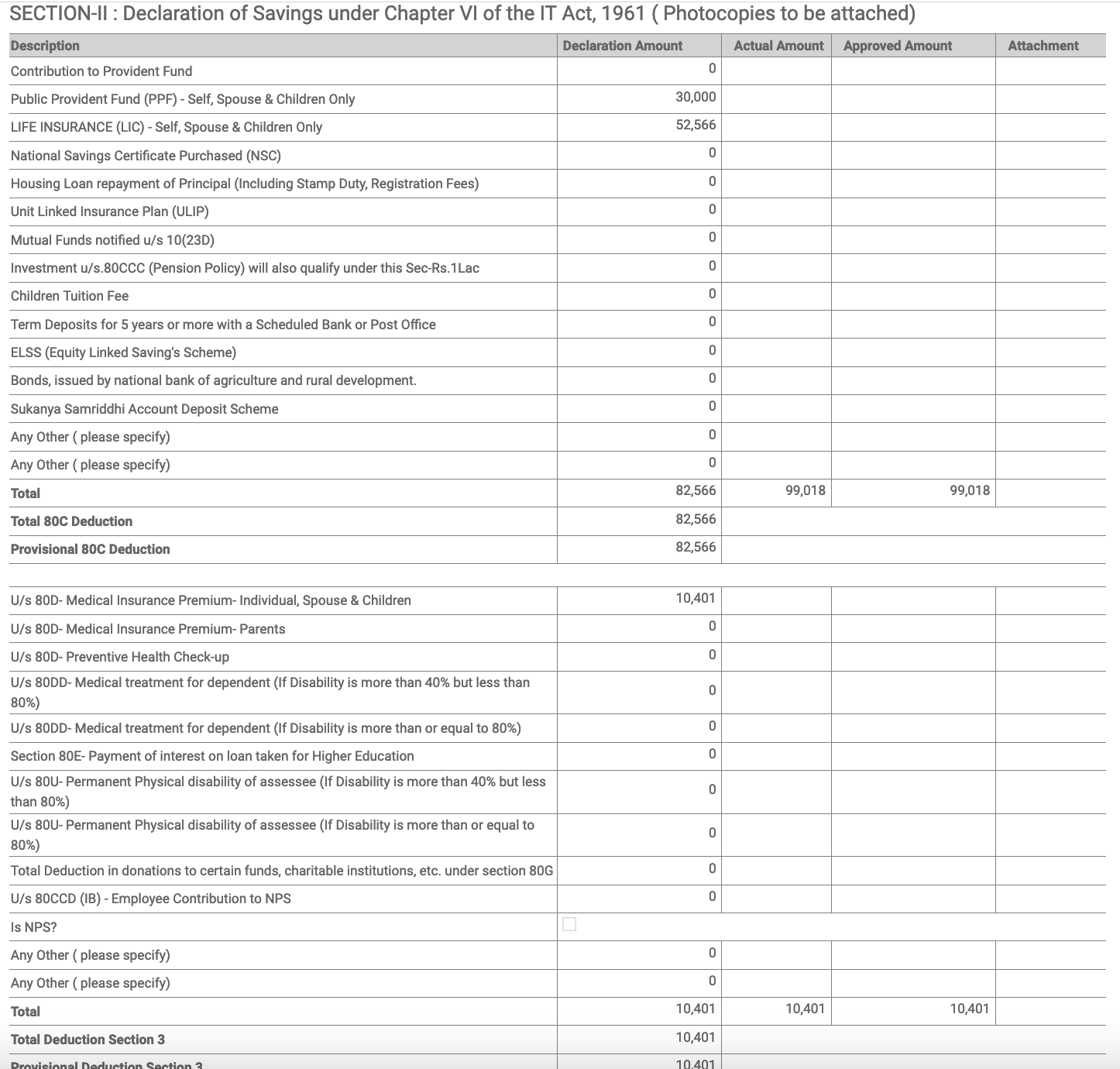
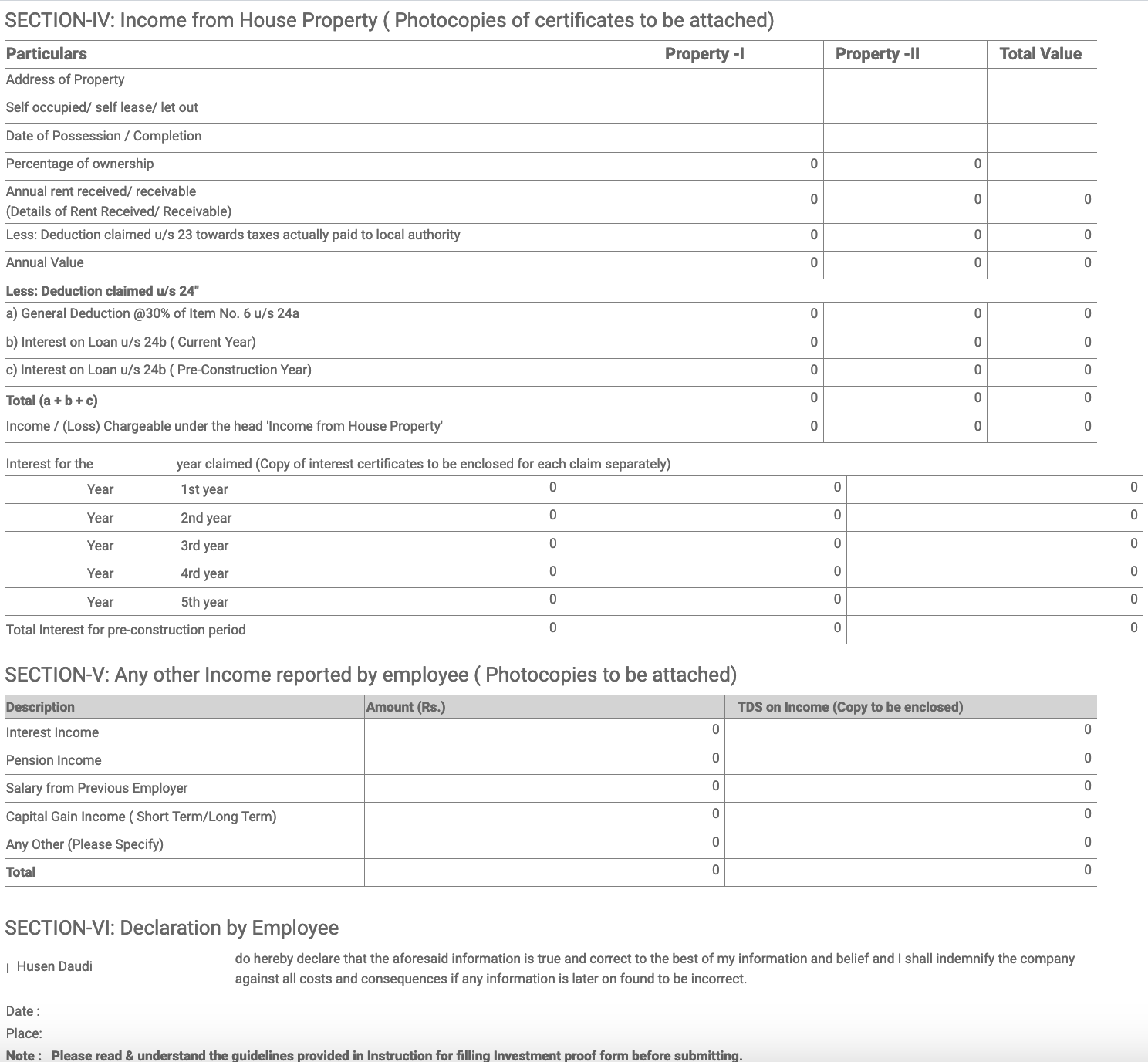
You can also print the full tax declaration details and then base your payslip on those details. The system will compute the whole of your TDS on a month-to-month basis, so that this will be your full tax declaration for your record.
Next we will see how we will compute the TDS & generate form 16 .




