

WhatsApp has evolved into an essential channel of communication for companies but coordinating customer interactions beyond ERP might give rise to disjointed workflows. This requires sales representatives to toggle through Odoo and WhatsApp applications, retrieve phone numbers manually, and follow the interaction history in multiple platforms.
The WhatsApp WAHA Odoo Connector by Serpent Consulting Services embeds communications directly within Odoo, making it easier to communicate with customers via the ERP system. With a chat interface similar to WhatsApp Web and one-click messaging capabilities, WhatsApp authentication features, and compatibility with self-hosted WAHA instances, business owners are set to gain a lot.
This Odoo connector is built for businesses that want to manage client communication, sales follow-ups, and everyday messaging without leaving their ERP.
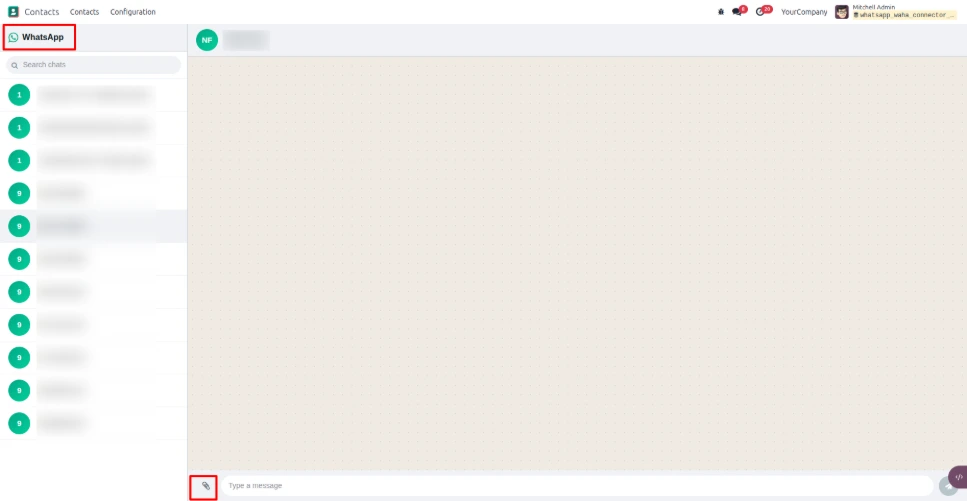
Full WhatsApp Chat Experience Inside Odoo
Using Odoo in combination with WhatsApp can cause interruptions in the workflow of departments like sales and customer service. However, the WhatsApp WAHA Odoo Connector provides chat functionality within Odoo via an easy WhatsApp style interface.
The users can access their chat history and have discussions with the people in Odoo itself. Thanks to the automatic update function, the users get a convenient WhatsApp integration experience with Odoo, allowing them to communicate with customers while dealing with their business operations.
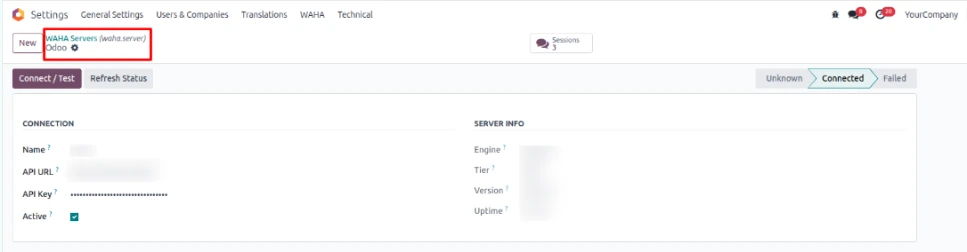
Connect Your Own WAHA Server
Organizations gain better control of the WhatsApp integration by linking the connector to their own self-hosted WAHA installation. Organizations no longer have to rely on separate messaging vendors, but can instead use their own WAHA server to connect to Odoo. This helps organizations avoid the problem of vendor lock-in as well as get rid of the need to pay for third-party APIs while keeping all WhatsApp communications integrated into their Odoo system.
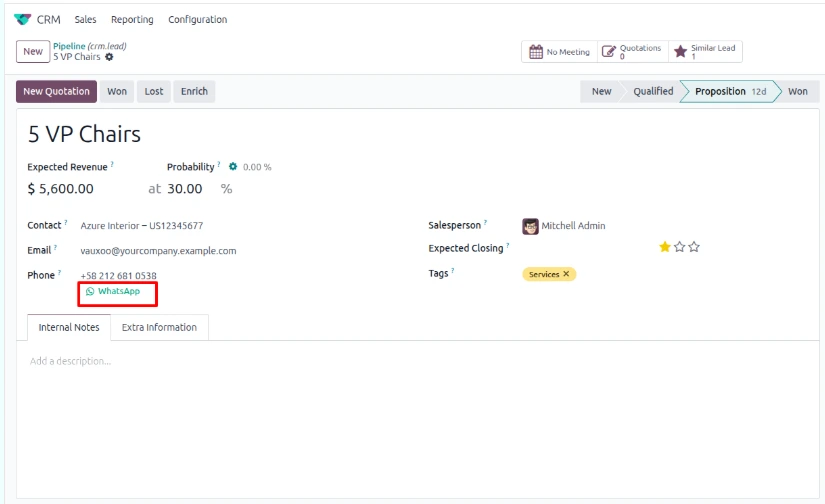
Send WhatsApp Messages Directly From Odoo Records
The process of gathering contacts' phone numbers and launching a chat in WhatsApp is laborious and not required for routine communication.
However, thanks to the WhatsApp WAHA Connector for Odoo, companies now have a WhatsApp icon next to all phone numbers in Odoo that can be clicked by the user.
As a result, it is now much easier to communicate with clients via WhatsApp from Odoo for sales representatives, support teams, account managers, and other staff members who communicate with customers on a regular basis.
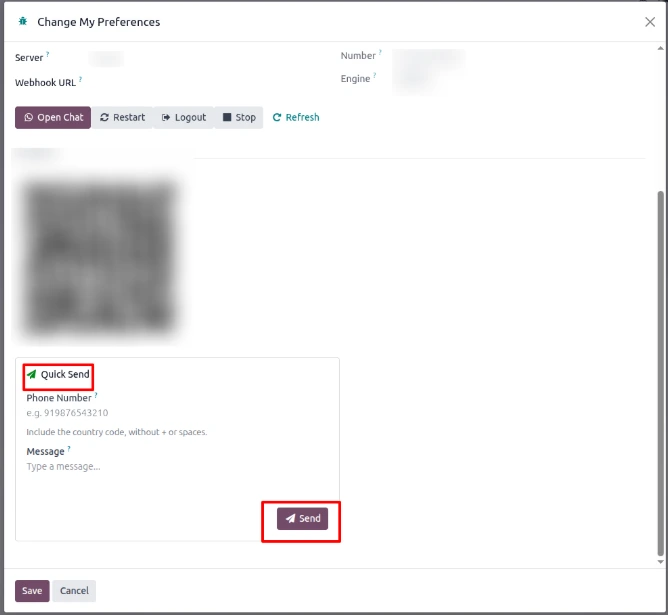
Quick WhatsApp Message From Odoo Preferences
It is not always essential to activate the full chat window for any communication. For fast and quick communications by users, they can direct a message via WhatsApp to the relevant phone number through Odoo Preferences.
Quick Send feature provides an easy way to start a message if the user has the recipient’s number in hand. This feature can be helpful for sending quick updates to customers, confirmations, reminders, and other brief messages.
Easy WhatsApp Authentication With QR Code
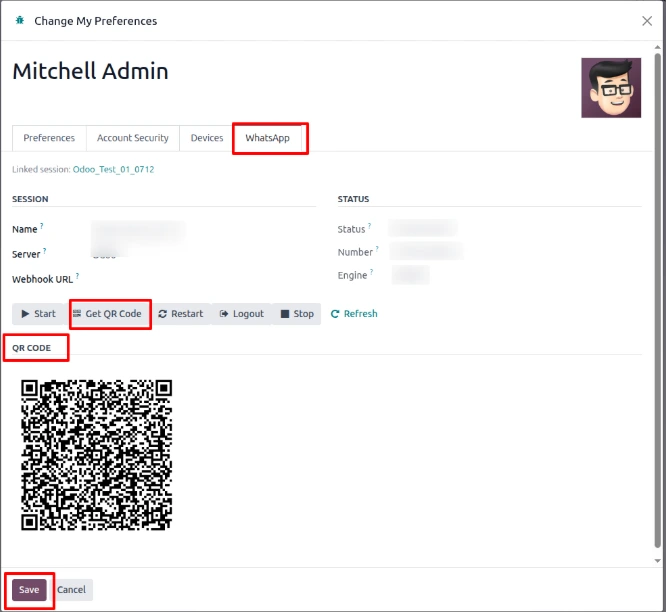
Connecting a WhatsApp number should not require users to repeatedly navigate through the WAHA server interface. The connector provides an inline QR code directly within Odoo for authentication.
Users can scan the QR code with WhatsApp to link the required number, making the initial setup more convenient while keeping the authentication process within the Odoo environment.
WhatsApp Web-Style Chat Interface
The chat interface is designed around a familiar WhatsApp Web-style experience. Users can see their conversations in a chat list on one side and open the selected conversation in the thread area.
This familiar layout can make it easier for employees to adopt WhatsApp CRM communication in Odoo without having to learn a completely different messaging interface.
With live conversations and automatic refresh, users can keep track of incoming and outgoing communication directly from Odoo.

Simplify WhatsApp Communication for Sales and Customer Service
For teams that communicate with customers regularly, having WhatsApp connected to the ERP can reduce unnecessary application switching. Sales teams can initiate conversations from contact records, customer service teams can access conversations from within Odoo, and employees can use the chat interface without leaving their ERP environment.
By bringing WhatsApp and Odoo together, businesses can create a more centralized communication process while continuing to manage their customers and business operations through Odoo.
Why Choose WhatsApp WAHA Odoo Connector?
The WAHA Odoo Connector connects your own self-hosted WhatsApp instance directly to Odoo, so conversations, contacts, and customer records all live in one place. A familiar web-style chat interface, QR-code authentication, and one-click messaging mean sales and support teams can pick it up without training on a new tool.
Because it runs on your own WAHA server rather than a third-party API, you keep full control over your WhatsApp data and avoid ongoing per-message vendor fees - a meaningful advantage for businesses handling high message volumes.
Interested in bringing WhatsApp communication into your ERP? Contact SerpentCS
FAQ
The WhatsApp WAHA Odoo Connector is an integration that embeds WhatsApp chat directly into Odoo using a self-hosted WAHA server, letting teams message customers without switching between apps.
No, the connector works with your own self-hosted WAHA instance, avoiding vendor lock-in and third-party API fees while keeping all WhatsApp communication inside Odoo.
Authentication is done by scanning an inline QR code shown directly within Odoo, linking your WhatsApp number to the connector without navigating a separate WAHA interface.
Yes, a WhatsApp icon appears next to phone numbers throughout Odoo, so sales, support, and account management teams can start a chat with one click from any relevant record.
Yes, the Quick Send feature lets users send a WhatsApp message directly from Odoo Preferences when they already have the recipient's number, ideal for brief updates or confirmations.
The interface follows a WhatsApp Web-style layout, with a conversation list on one side and an open chat thread on the other, refreshing automatically to show new messages.
Contact SerpentCS at contact@serpentcs.com to learn more about the connector and how it can be implemented and customized for your WhatsApp communication needs.



