

With the popularity of personalized products on the rise, complicated fulfillment arises when customers' designs are managed as a separate process from ordering. With the Odoo Product Design Studio, product personalization becomes part of the Odoo eCommerce system: the customers can create and see what their design will look like before ordering.
The customers can add text and images, and make shapes, layers, and artwork on the product page. Subsequently, the final design is stored together with the sales order line, which allows the production team to refer to it while creating a personalized product.
Design Products Directly From the Webshop
Odoo Product Design Studio eliminates the need for a standalone design application in product customization. Once customized for a product, the design studio can directly be accessed by customers from the web store where they can apply their creative input.
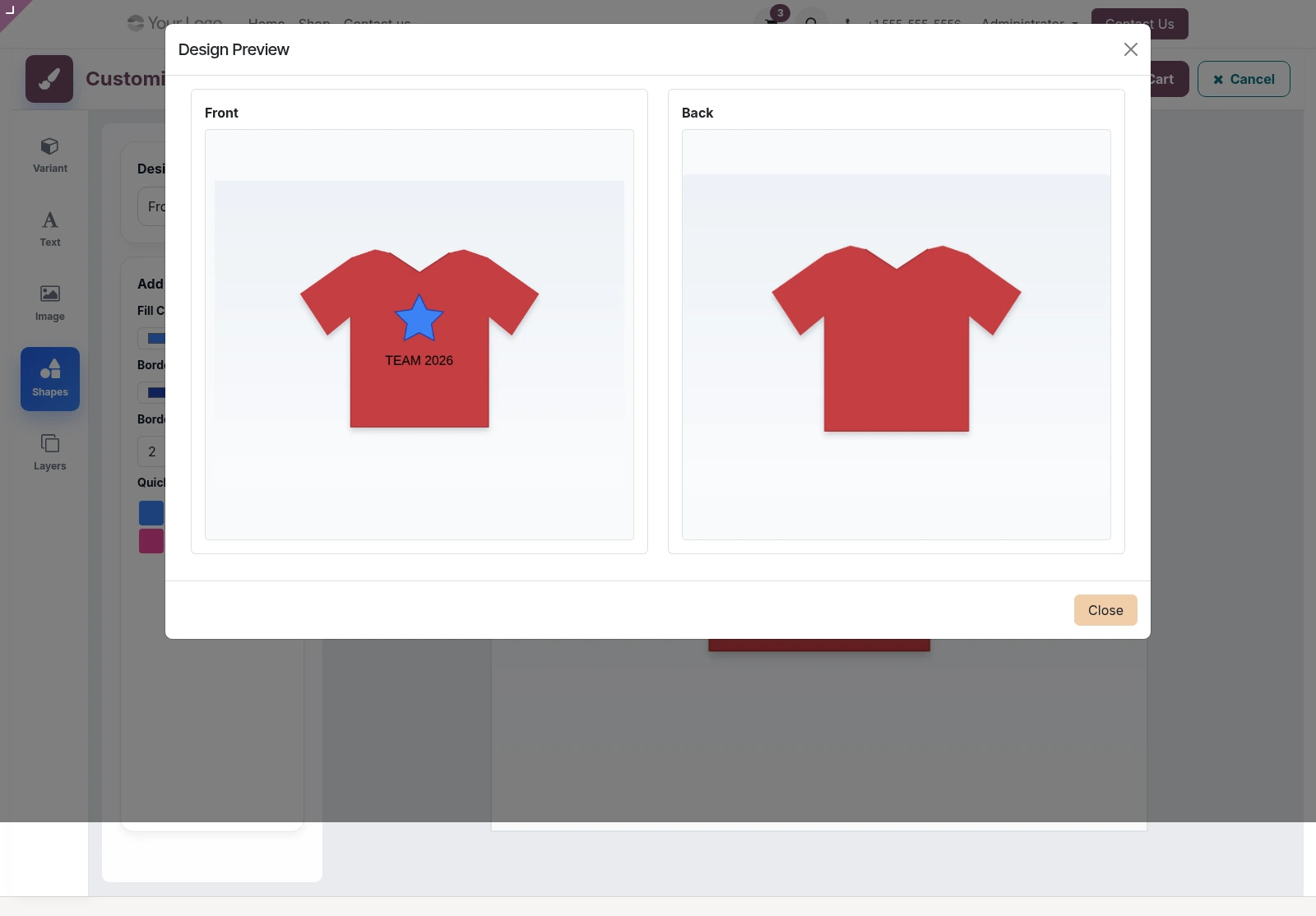
They can change the product variant, select a design area, add various elements, and see the effect of their customizations on the mock-up products before adding the item in the shopping cart.
Multiple Design Areas for Different Product Sides
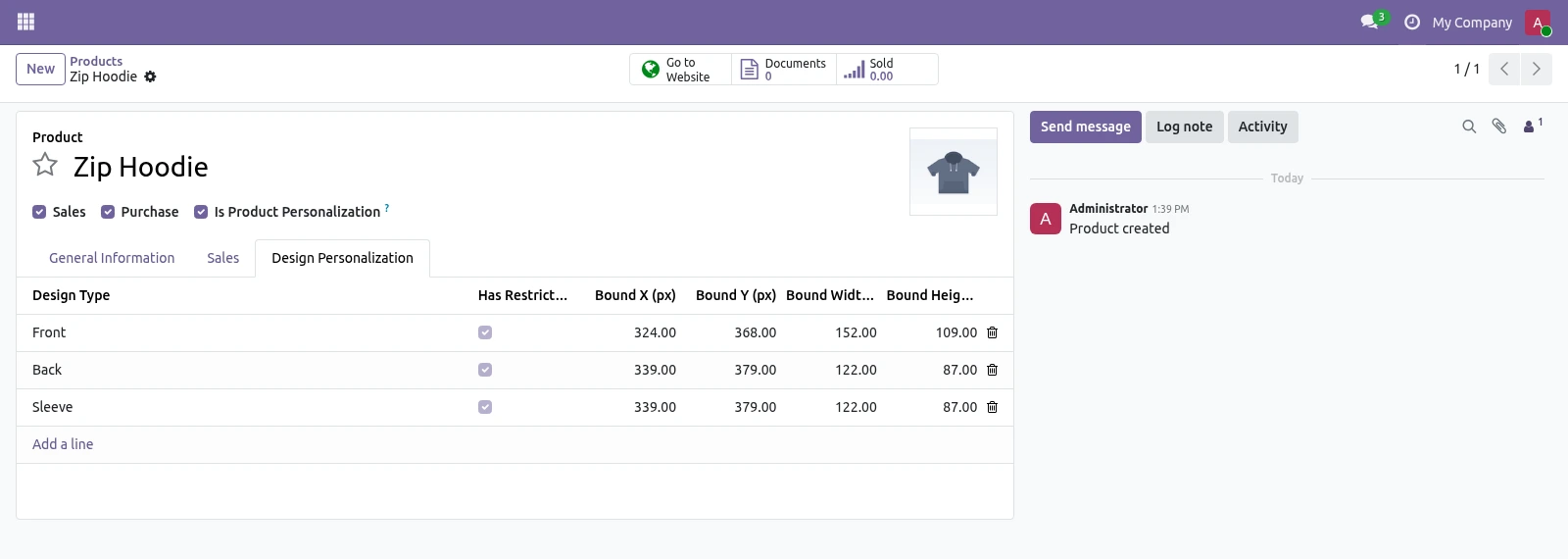
One may require the customization of a product, and Odoo Product Design Studio accommodates the configuration of many design areas in one product, be it the lid, front, back, side panel, or sleeve.
Moreover, each design area can have its own mockup image to ensure that clients are able to work on different parts of the product and still keep what they created before.
Keep Designs Inside the Print Area
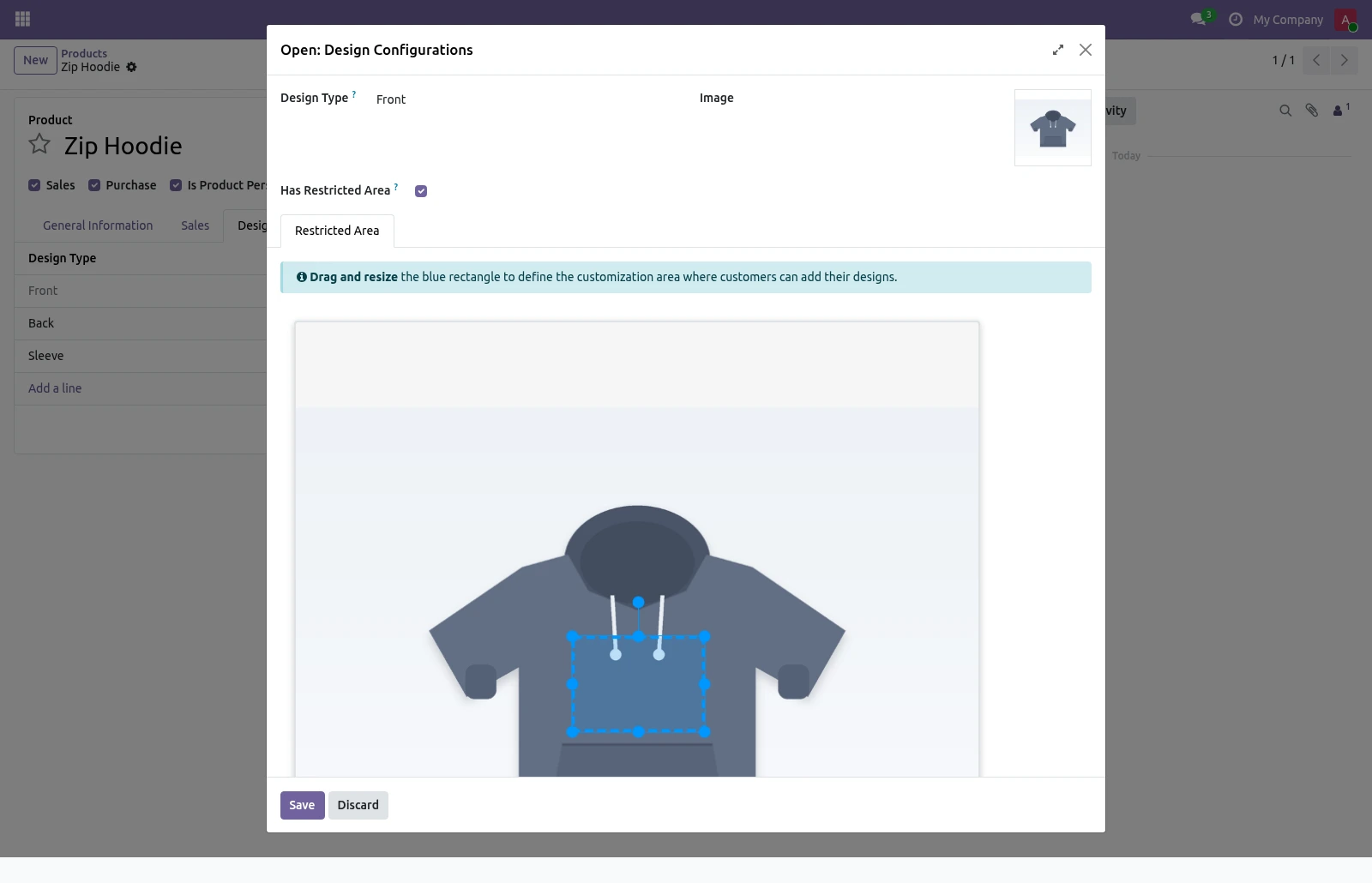
In order to ensure that the finished art meets the layout of the actual printing area, the managers can set an active print area at the backend. The print rectangle can be placed right on top of the product image. As the user shifts, rotates, or changes the size of an item, it stays within the established print area.
Add Text, Images, Shapes, and Layers
The studio provides a platform for design over the internet through which surrounding users can carry out their designing using various elements. The users have the freedom to make use of the text working as well as to upload as many pictures as they want along with using pre-made shapes like circles, triangles, stars, hearts, diamonds, arrows, etc.
Text can appear in many forms. The typography and size of fonts can vary and images are subject to cropping, mirroring and modifying effects like brightness, contrast, color correction, blurring, grayscale effects.
Manage Every Design Element With Layers
When a design contains several elements, managing their position becomes important. The layer manager lists each element with its own thumbnail, allowing customers to select and edit individual objects easily.
Elements can be brought to the front or sent to the back, duplicated, locked, or deleted. This provides better control over the arrangement of the final design.
Variant-Aware Product Mockups
Different product variants may require different product images or printable areas. The studio supports variant-specific mockups, so customers can see the correct product appearance when they change a variant.
Live Preview and Design Download
Customers are able to see both sides of their custom product before buying it, which helps them to see the whole look of the design.
Consumers can also download the final design as an image and save it as a personal piece of custom art.
Edit the Design Again From the Cart
Personalization does not have to be final when the customer first adds the product to the cart. Cart lines include Preview and Edit Design options, allowing customers to reopen the studio with their saved artwork.
They can make changes to the design or adjust the quantity and save the updated version without starting the personalization process again.
Simple Backend Configuration
Setting up product personalization is handled from the backend. Administrators can enable personalization for a product, add the required design areas, assign mockup images, and visually define the printable area.
The configuration can be applied to a product template or an individual variant, providing flexibility for products with different designs or printable surfaces.
Personalized Designs Connected to Sales Orders
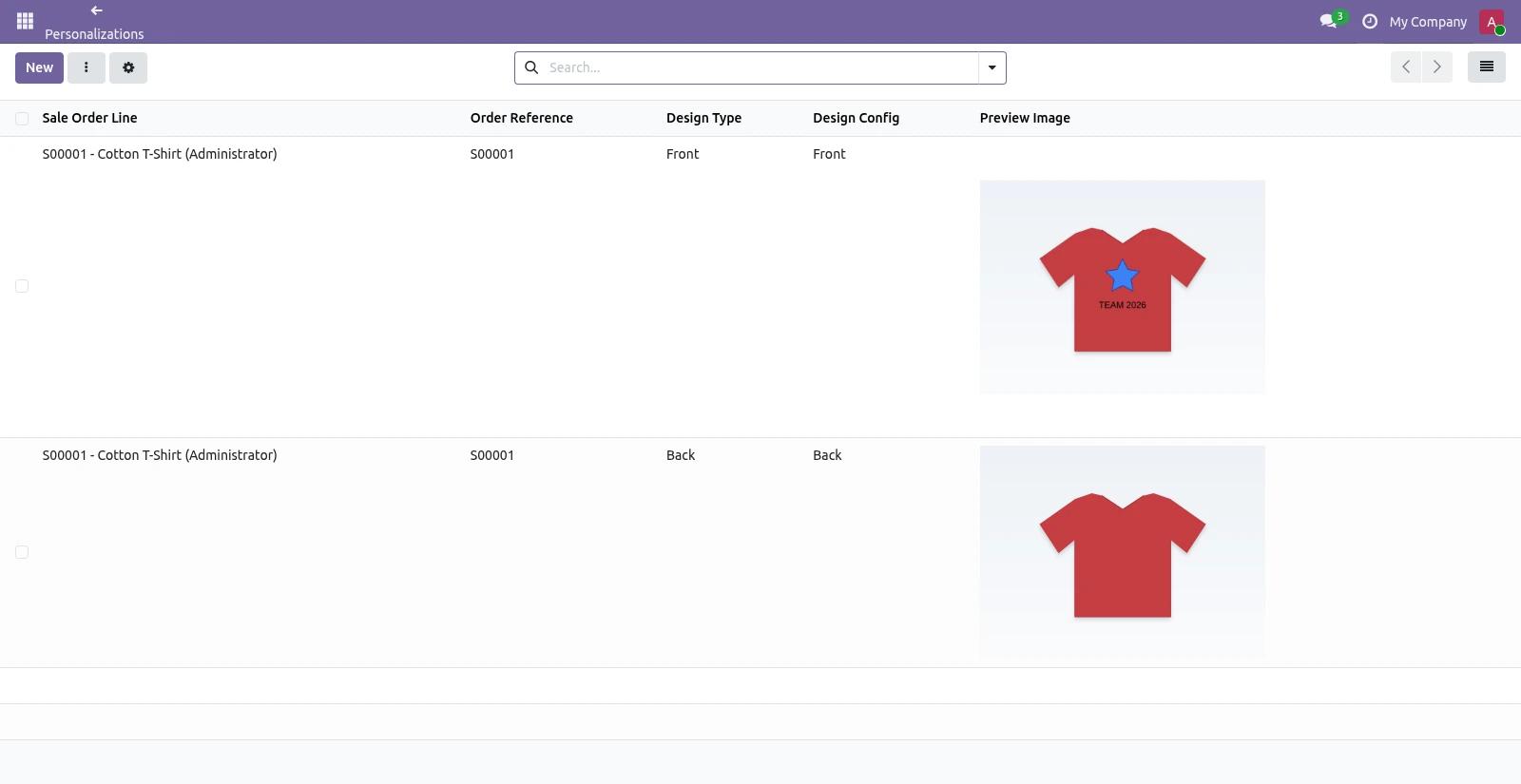
Once a customer completes a design, the personalization is stored directly against the relevant sales order line. Each design area maintains its own personalization record along with the preview image and design data.
This means the sales and production teams can access the customer's artwork directly from the order instead of searching through separate files or email conversations.
Suitable for Different Personalized Products
- Odoo Product Design Studio provides assistance in creating personalized products that include:
- Customized T-shirts and Apparel: Add your own designs on the front, back, sleeve and any other print area.
- Mobile Phone Cases: Imprint photos, names, or initial on the phone case.
- Print on Demand: Print an order keeping the customer’s design as it is.
- Customized Signages: Arrange text, logos, and other images for sign boards, posters and plates.
- Gifts: Customize items like mugs, bottles and bags.
Conclusion
The Odoo Product Design Studio enables product customization through the webshop, enabling customers to design their products and companies to control the design process during sales transactions. The personalization process remains integrated from indicating printing locations to saving the design image along with the sales order.
Thanks to the interactive design process which provides customers with versions of their products submitted to design, companies are able to make ordering customized goods easier and more effective.
Do you wish to sell personalized products within your Odoo webshop? Serpent Consulting Services is ready to help you in implementing and adjusting Odoo Product Design Studio according to your products and design needs. Connect with us via contact@serpentcs.com to learn how Odoo can be adjusted to ensure easier product personalization for your clients.
FAQ
The Odoo Product Design Studio is a tool that lets customers personalize products directly on an Odoo webshop by adding text, images, shapes, and layers, with a live preview before purchase.
Yes, cart lines include Preview and Edit Design options, so customers can reopen the studio, adjust their design or quantity, and save updates without restarting personalization.
Yes, the studio supports variant-aware mockups, so customers see the correct product image and printable area whenever they change a product variant.
Once a design is completed, it's stored directly against the sales order line, giving sales and production teams direct access to the artwork without searching separate files or emails.
Common use cases include custom apparel, phone cases, print-on-demand items, signage, and gifts like mugs or bottles - any product with a defined print area can be configured.
Setup is done from the backend: enable personalization for a product, define design areas, assign mockup images, and set the printable area — configurable per product template or individual variant.



