
Running a photography studio takes more than a good eye. Leads, shoot schedules, quotes, editing deadlines, and invoices often live in separate spreadsheets, inboxes, and PDFs, so bookings get missed and invoices go out late. Odoo ERP connects the whole client journey, from website booking and CRM follow-up to quotes, shoot tasks, editing progress, and invoicing, in one system. This guide walks through how photography studios can manage their business with Odoo, step by step.
This is all accomplished by the Odoo ERP system. In place of managing five different applications, you will be able to control the entire process, from the initial visit of a customer to your website until gallery delivery and payments.
Mapping the Client Journey in One System
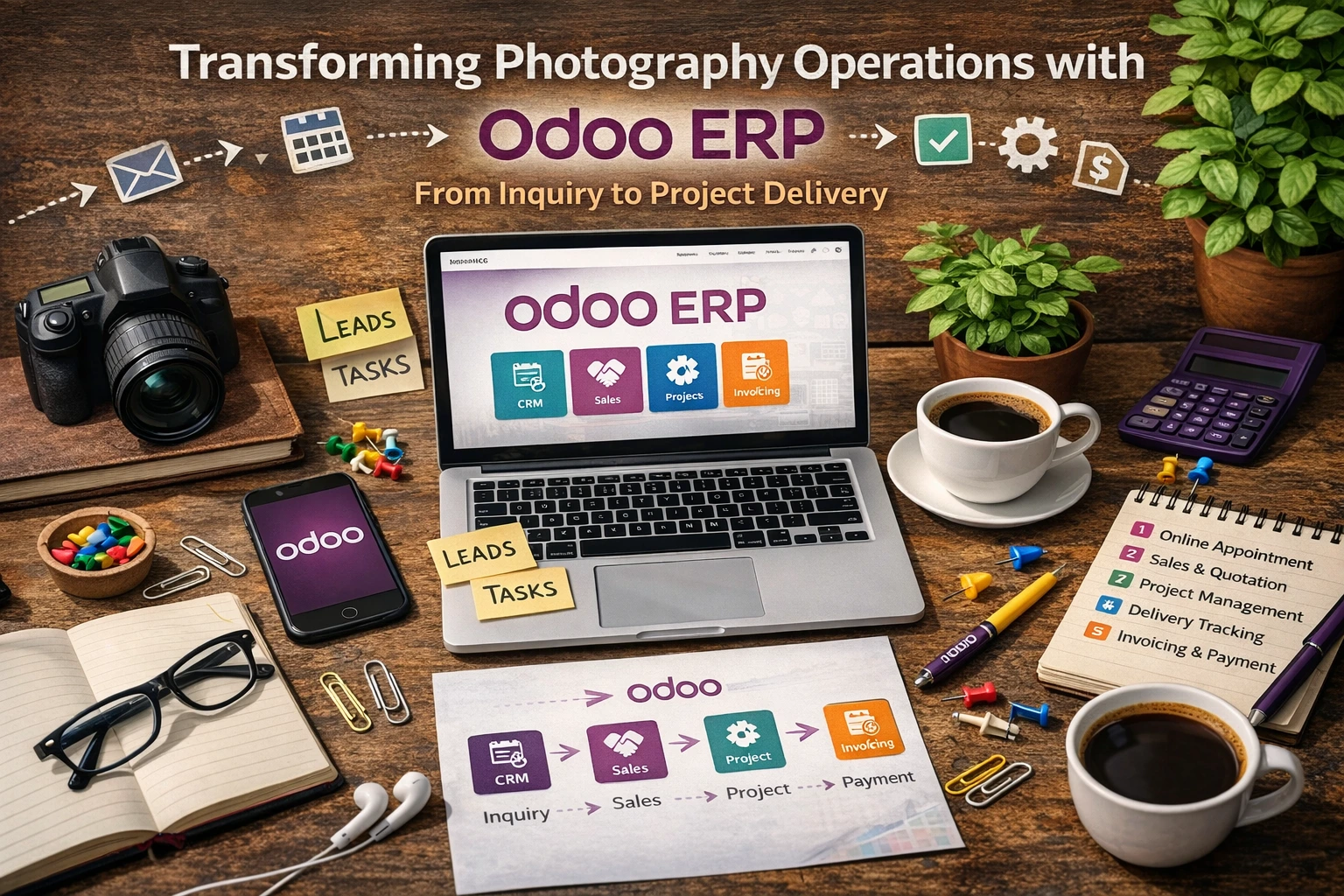
Here is what happens when a photography studio runs its day-to-day workflow inside Odoo:
1. Online Booking and Lead Capture
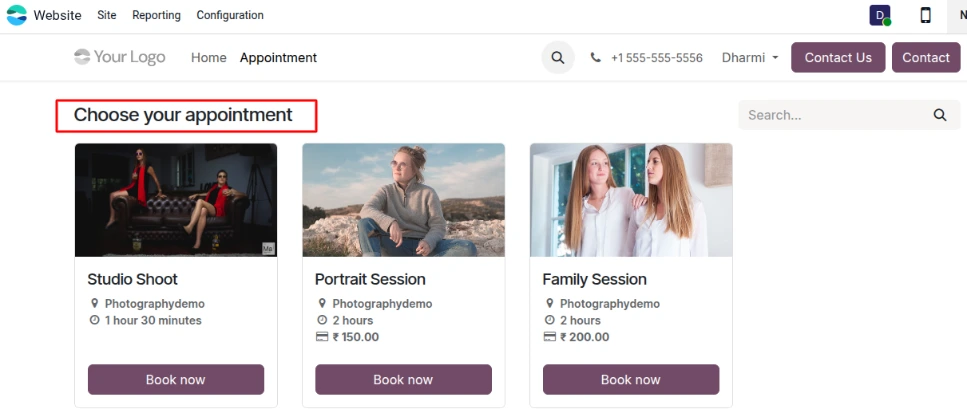
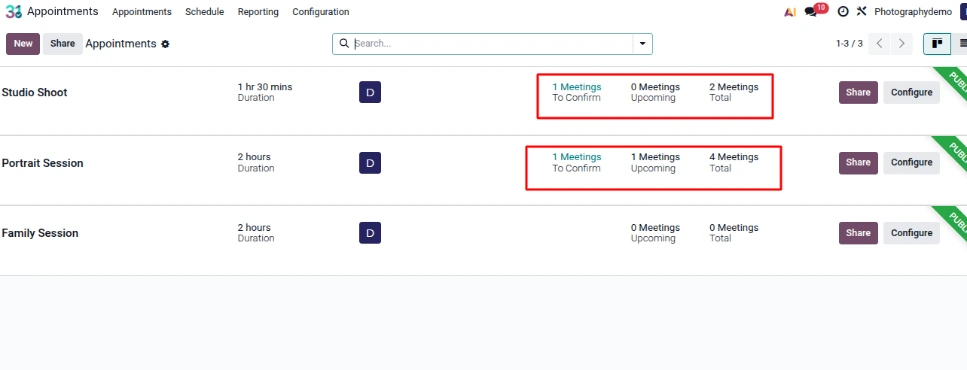
Prospective clients don't want to play email tag just to check your availability. With Odoo, visitors can book studio shoots, portrait sessions, or family packages directly through your website. Meanwhile, inquiries sent via contact forms or email campaigns drop straight into your CRM pipeline automatically.
What this changes for your studio:
Every inquiry lands in one central inbox instead of getting buried in personal emails
Your team spends zero time copying and pasting client details into spreadsheets
Faster reply times help you lock in bookings before clients reach out to another photographer
Higher chance of turning casual website visitors into confirmed shoots
This sets up a clean, reliable pipeline from the very first client interaction.
2. Qualifying Leads and Sending Quotes
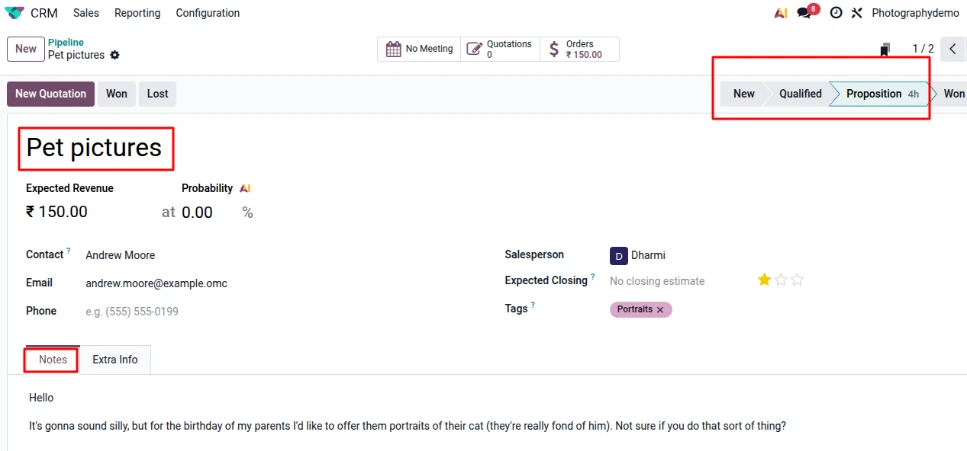
Once you chat with a prospect and understand what they need—whether it is a commercial shoot or a birthday portrait session—you move them forward in the CRM. All your notes, custom package requests, and pricing discussions stay attached to their profile. When you are ready, you generate a clean, itemized quote and send it right from the platform.
What this changes for your studio:
Consistent pricing across your entire team, with no guesswork on add-ons or packages
Quotes go out in minutes rather than hours
You can see every revision and negotiation note in one thread
Less revenue lost to forgotten add-ons or misquoted rates
You no longer have to rely on scattered Word docs or messy email threads to close a deal.
3. Turning Confirmed Orders into Shoot Tasks
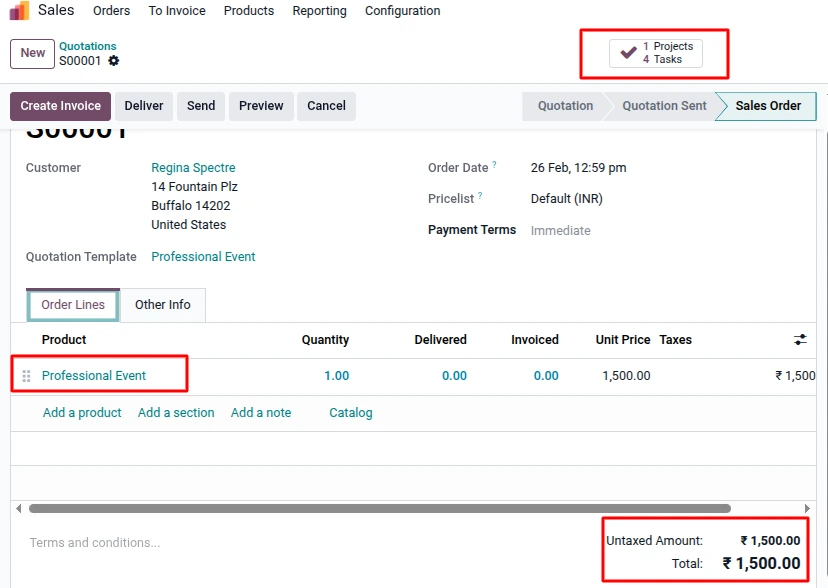
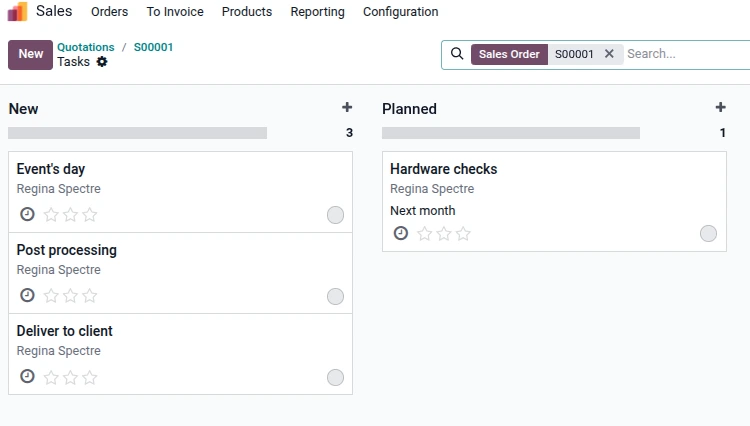
The moment a client signs off on a quote and confirms the sales order, Odoo does the heavy lifting for your production team. Based on the specific photography package they bought, the system automatically generates a project and populates it with the exact tasks required to fulfill the order.
- Event Day Coverage
- Post-Processing
- Hardware Checks
- Final Delivery
- Zero friction when handing a booked client over from sales to the creative team
- Managers don't have to manually build to-do lists for every single shoot
- Everyone knows exactly what they are responsible for and when it is due
- A repeatable workflow that keeps shoots running on schedule
Rather than managing disconnected tools, photography studios can operate within a unified digital ecosystem.
4. Tracking Editing and Delivery Progress
Once shoots are underway, studio managers can open the Project dashboard to see where every single order stands. Tasks move across clear visual stages—Planned, New, In Progress, and Delivered—giving you an honest look at your studio's workload.
Managers get a clear view of:
How evenly work is spread across editors and second shooters
Upcoming gallery delivery deadlines
Bottlenecks in culling, retouching, or post-production
Team capacity before booking last-minute shoots
Keeping every stage visible means galleries go out on time and clients stay happy.

5. Straightforward Invoicing and Cash Flow
Invoices can be generated straight from the confirmed sales order based on your exact payment terms—whether you collect a deposit upfront or bill upon gallery delivery.
This keeps your finances on track with:
Bills going out right on schedule without manual reminders
Clean financial records that match every confirmed package and add-on
A clear link between finished project deliveries and actual revenue collected
Built-in accounting dashboards also show your real profit margins and cash flow at a glance.
Strategic Advantages for Photography Businesses
Implementing Odoo delivers measurable operational improvements:
✔ Centralized lead and client data
✔ Automated sales-to-project transition
✔ Standardized service workflows
✔ Reduced administrative effort
✔ Improved cash flow management
✔ Data-driven performance insights
Conclusion
When your back-office operations run smoothly in the background, you get your time and headspace back to focus on what actually grows your brand: taking great photos. Odoo connects your bookings, CRM, project tracking, and billing into one clean system so your studio can take on more clients without drowning in paperwork.
As an official Odoo partner, SerpentCS helps photography studios and creative businesses set up customized Odoo ERP services tailored to how they actually work.
FAQ
Yes. Odoo connects website bookings, CRM leads, quotes, project tasks, and invoicing in one system, so a studio can manage the client journey from inquiry to delivery without separate tools.
Website visitors can book sessions online, and inquiries that arrive by email are added to the CRM pipeline automatically, so all requests end up in one place.
Yes. When the client approves the quote and the sales order is confirmed, Odoo creates a project and tasks based on the package purchased, such as event day coverage, post-processing, hardware checks, and delivery.
Project stages such as Planned, New, In Progress, and Delivered show where each order stands. Managers can see workload, upcoming delivery dates, and bottlenecks in culling, retouching, or post-production.
Yes. Invoices are generated from the approved sales order based on your payment terms, including deposits or payment after gallery delivery.
Centralized lead and client data, a smooth handoff from sales to production, standardized processes, less admin work, better cash flow, and data-based performance reporting.
Contact SerpentCS at contact@serpentcs.com for help with implementation and customization for your studio’s packages and workflow.